
Tmux Themes
Curated tmux color schemes and status-line themes with install snippets. Pick a palette, load it through TPM or a manual run-shell, then keep one status owner so colors stay consistent.
01 HOW TO CHOOSE
Match your editor
If Neovim, VS Code, or your terminal already use Catppuccin, Dracula, or Gruvbox, pick the same family in tmux so panes and the status line do not fight the rest of the stack.
One status owner
A theme plugin and a separate powerline/status plugin both rewrite the status bar. Run one owner. Disable built-in status widgets you do not need before stacking extras.
True color first
Pastel and neon palettes need 24-bit color. Fix terminal RGB and tmux default-terminal before blaming the theme when backgrounds look muddy or flat.
Icons need a Nerd Font
Powerline separators and glyph segments render as tofu boxes without a patched font in the terminal emulator. Set the font in the emulator, not in tmux.
02 PALETTE PREVIEWS
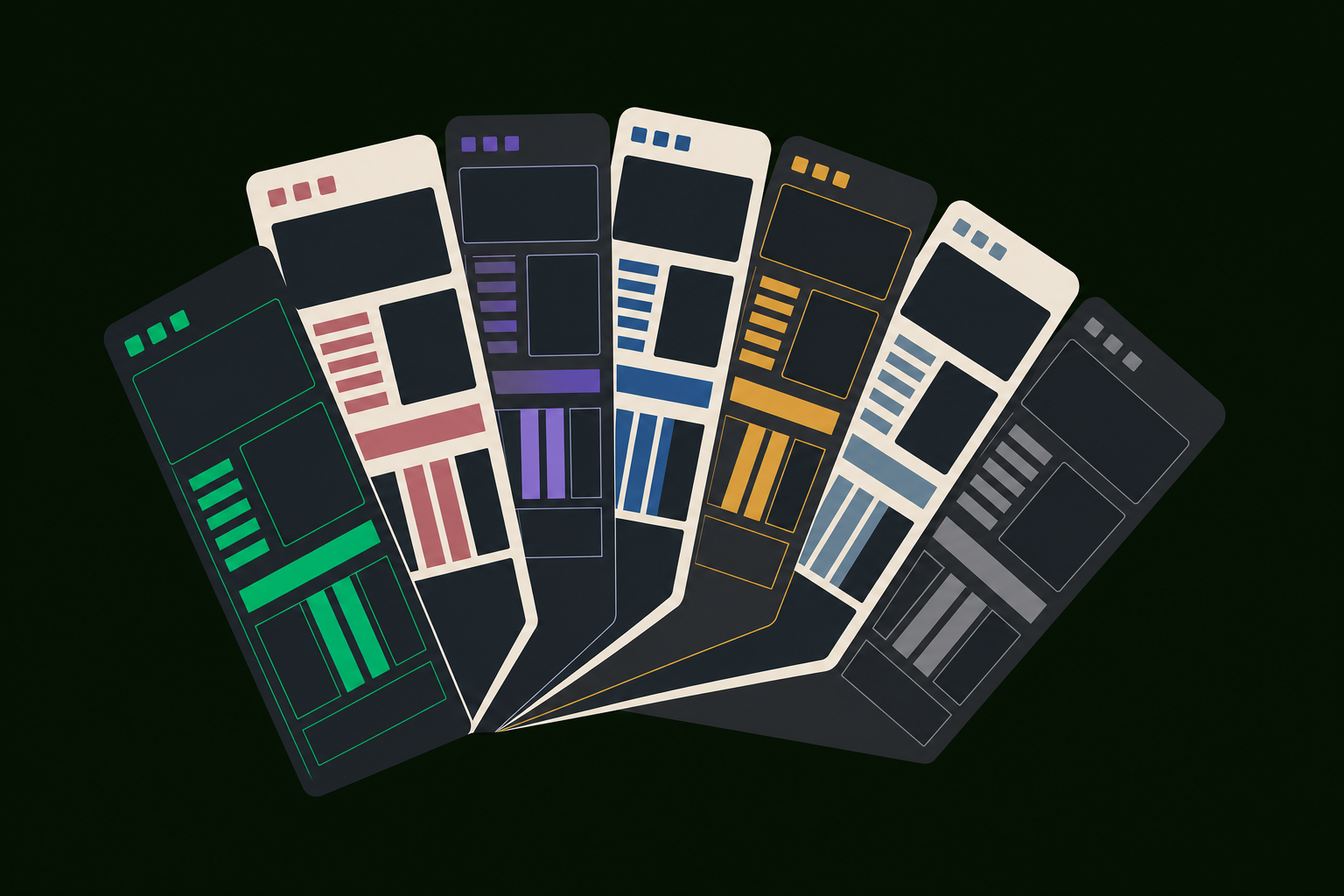
Soft pastels, low glare. Default pick for Mocha/Latte stacks.
High-contrast purple/pink accents with optional powerline widgets.
Cool blues on deep navy. Common with Tokyo Night editor themes.
Warm earth tones. Easy on long sessions and low-brightness setups.
03 INSTALL WITH TPM
Most themes ship as plugins. Add Tmux Plugin Manager once, list the theme under @plugin, keep the TPM run line last, then install with Prefix + I.
# List of plugins
set -g @plugin 'tmux-plugins/tpm'
set -g @plugin 'catppuccin/tmux'   # example theme

# Initialize TPM — keep this line at the very bottom of tmux.conf
run '~/.tmux/plugins/tpm/tpm'
- Clone TPM if needed:
git clone https://github.com/tmux-plugins/tpm ~/.tmux/plugins/tpm - Put theme
@pluginlines above the TPMrunline - Reload config:
tmux source-file ~/.tmux.conf - Press Prefix + I (capital i) to install
Catppuccin
catppuccin/tmuxset -g @plugin 'catppuccin/tmux' set -g @catppuccin_flavor 'mocha' # latte | frappe | macchiato | mocha # TPM last run '~/.tmux/plugins/tpm/tpm'
Dracula
dracula/tmuxset -g @plugin 'dracula/tmux' set -g @dracula-show-powerline true set -g @dracula-show-battery false set -g @dracula-plugins 'cpu-usage ram-usage' # TPM last run '~/.tmux/plugins/tpm/tpm'
04 MANUAL INSTALL
Skip TPM when you want a single theme with no plugin manager. Clone the repo, then load it with run-shell from ~/.tmux.conf.
# Clone once
git clone https://github.com/dracula/tmux ~/.tmux/plugins/tmux-dracula

# In ~/.tmux.conf — path must match the cloned folder
run-shell ~/.tmux/plugins/tmux-dracula/dracula.tmux

# Apply
tmux source-file ~/.tmux.conf
05 TROUBLESHOOTING
Colors look wrong or washed out
Enable RGB/true color end-to-end: terminal emulator, TERM outside tmux, and tmux terminal-overrides. Without this, 24-bit palette themes fall back to coarse 256-color approximations.
set -g default-terminal "tmux-256color"
set -ag terminal-overrides ",*:Tc"
Powerline icons are missing boxes
Install a Nerd Font (or the theme's recommended patched font) and select it in your terminal emulator profile. tmux cannot fix missing glyphs.
Theme never loads
TPM only runs plugins listed above its run line. The run '~/.tmux/plugins/tpm/tpm' statement must be last. After editing, source the config and press Prefix + I again.
run '~/.tmux/plugins/tpm/tpm' # must be the last line
Status bar fights itself
Two plugins both owning status-left/status-right produce flicker, duplicated segments, or a reset bar. Keep a single theme or status pack. Remove leftover set -g status-* lines from older configs.
06 THEME CATALOG
Upstream repos only. Personal dotfiles, duplicate forks, and low-signal ports are intentionally excluded. No star counts or release pins — check each repo for current options.
Direct themes
Pastel flavours with modular status modules.
Official Dracula status theme with widget toggles.
Arctic bluish palette aligned with Nord apps.
Light and dark Gruvbox status variants.
Tokyo Night colors with optional net/path widgets.
Main, Moon, and Dawn variants for Rosé Pine users.
Classic Solarized light/dark color definitions.
Kanagawa-inspired status theme for wave/dragon palettes.
Packs and status lines
Pack of basic and powerline block themes.
Clean powerline status with multiple color themes.
Segment-based status line framework.
Modular status toolkit with themeable segments.
Minimal dot-style window indicators.
Highly configurable status bar with multiple palettes.
Customizable status segments with a compact default look.
Status-focused theme pack with oasis colorways.
Full config (not a drop-in theme)
Opinionated full .tmux.conf framework with its own status line and keybindings. Not a drop-in palette — adopt it as a base config, not alongside another theme plugin.
07 RELATED

AI Powered, Non-Intrusive Terminal Assistant
TmuxAI enhances your terminal with AI-powered commands, automation, and contextual awareness while preserving your existing workflow. It's open-source, privacy-focused, and can be used with any terminal emulator.
curl -fsSL https://get.tmuxai.dev | bash
 By Alvin